Contacts
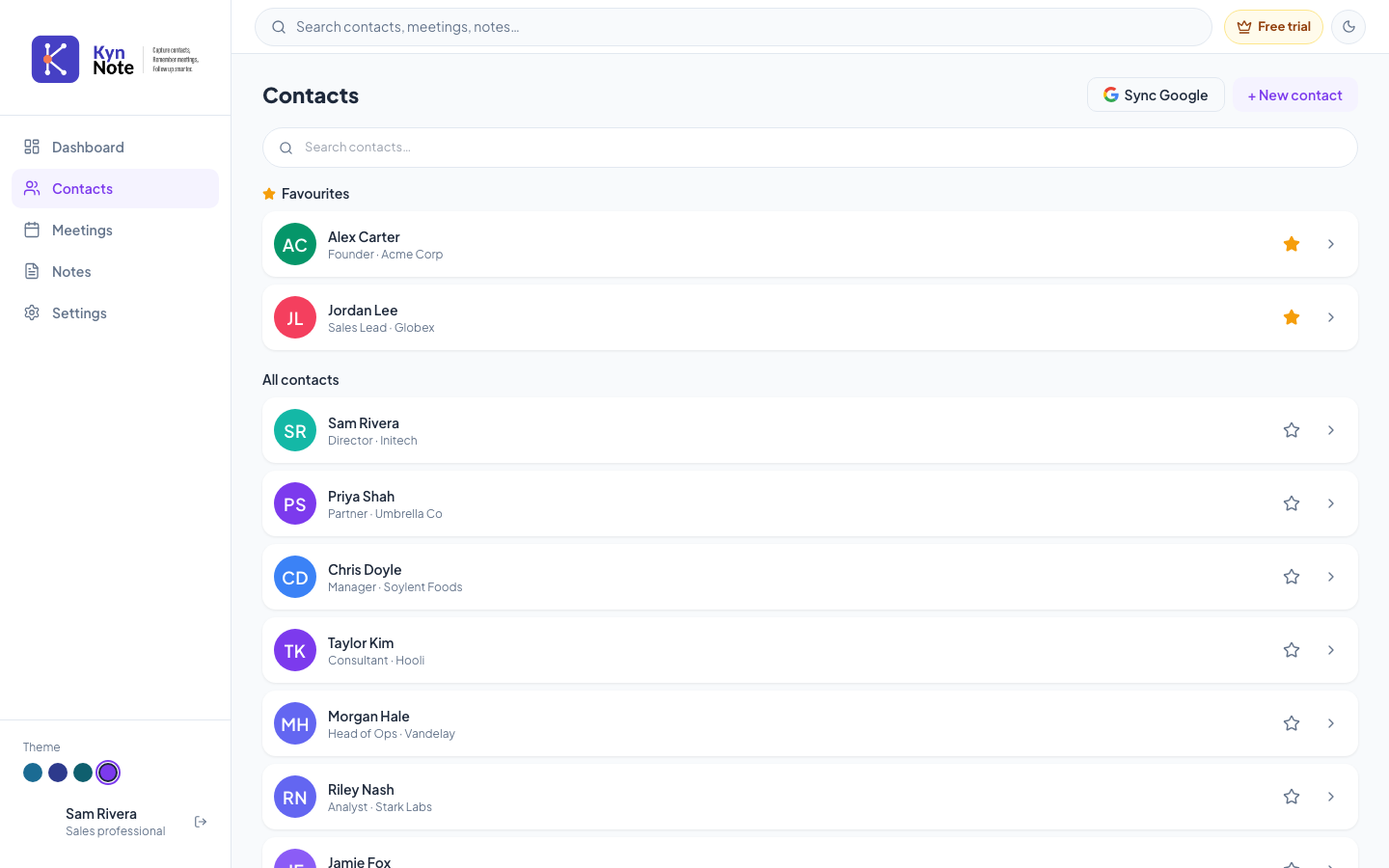
The Contacts screen lists all the people you've saved in KynNote, with favourites pinned at the top for quick access. From here you can search your contacts, add new ones, sync with Google, and open any contact to see their details.
How to use it
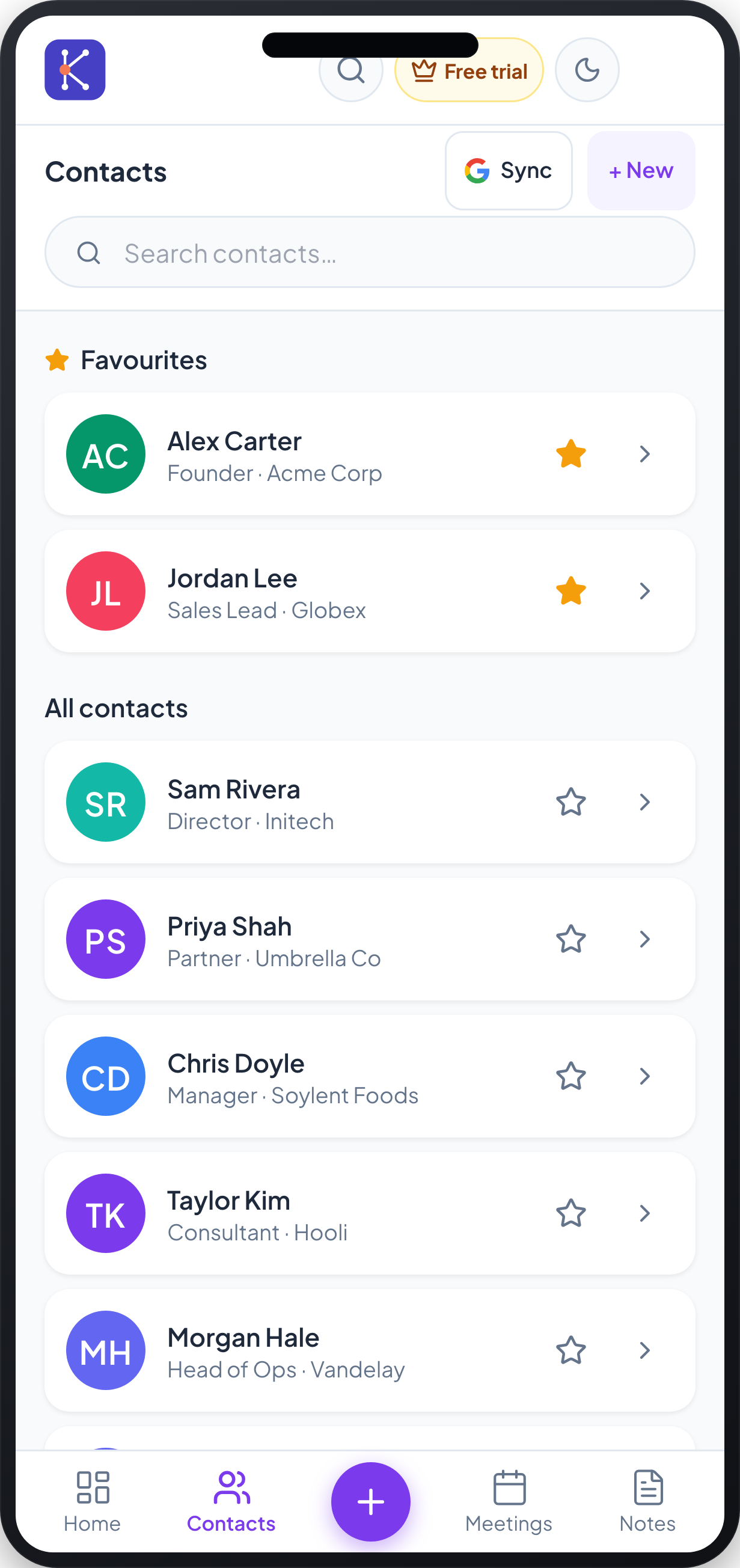
- Open Contacts from the left sidebar (desktop) or the Contacts tab in the bottom navigation bar (mobile).
- Browse your contacts. Starred people appear under Favourites at the top, and everyone else appears under All contacts. Each row shows the contact's initials avatar, name, and their designation and company (for example, "Founder · Acme Corp").
- To find someone, type in the Search contacts… box. The list filters as you type.
- To mark or unmark a favourite, click the star icon on the right of a contact row. A filled gold star indicates a favourite.
- To open a contact's details, click the row (or the chevron arrow on the right).
- To add a contact, click + New contact (shown as + New on mobile). On mobile you can also tap the large + button in the centre of the bottom navigation bar.
- To bring in contacts from Google, click Sync Google (shown as Sync on mobile) and follow the prompts to connect your Google account and choose contacts to import or export.
FAQs
Why are some contacts shown under "Favourites"? Contacts you've starred appear in the Favourites section at the top of the list. Tap or click the star icon on any contact to add or remove it from Favourites.
What do the coloured circles with letters mean? When a contact has no profile photo, KynNote shows a coloured circle with their initials instead. If a photo is available, it appears in place of the initials.
Can I add contacts from my Google account? Yes. Use the Sync Google option to connect your Google account, then select which contacts to import into KynNote (or export from KynNote to Google).
Can I still add a contact when I'm offline? Yes. New contacts created while offline are saved and marked as pending, and they sync automatically once you reconnect. Some actions, such as editing or favouriting, only become available after a pending contact has finished syncing.