Add a New Contact
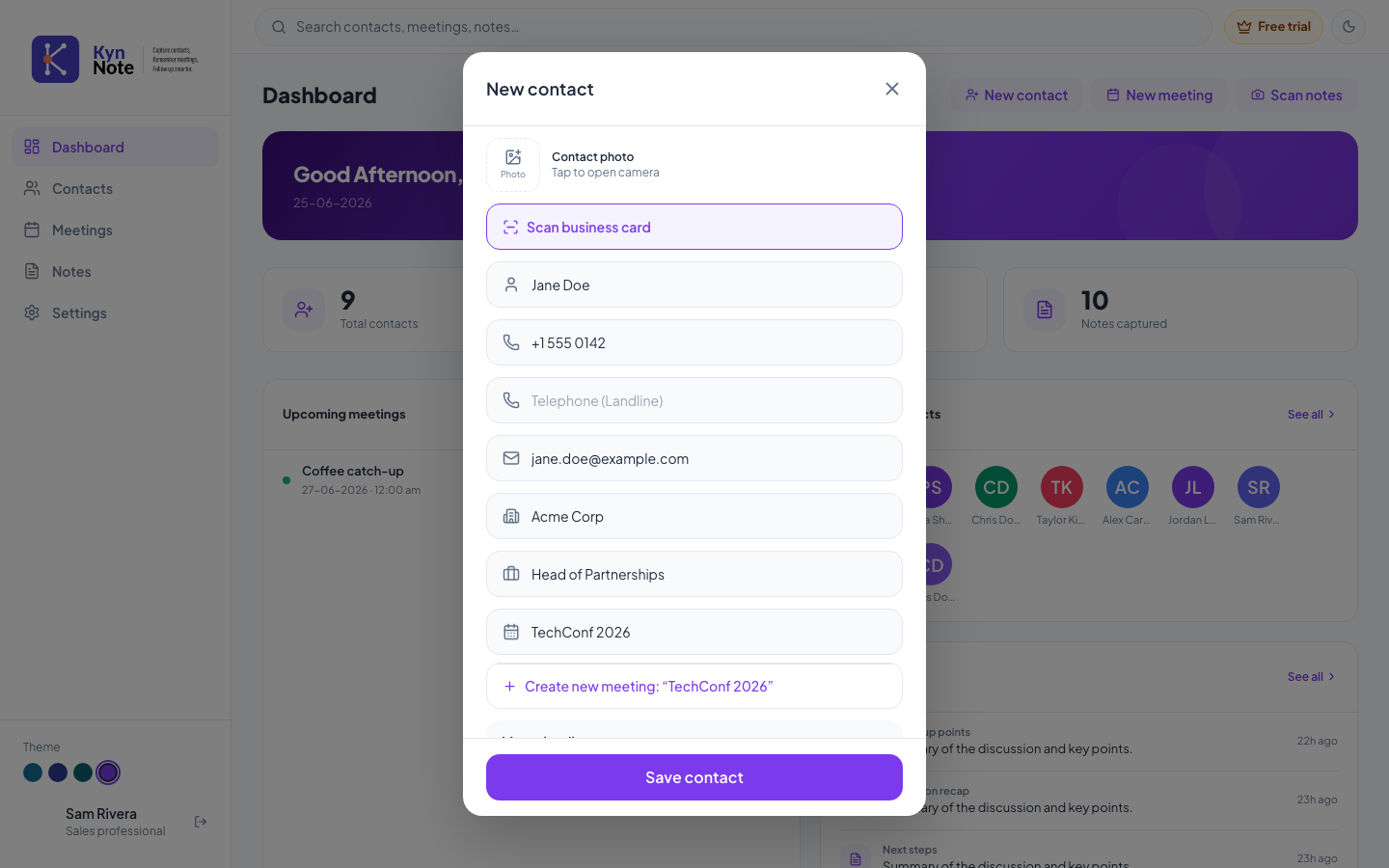
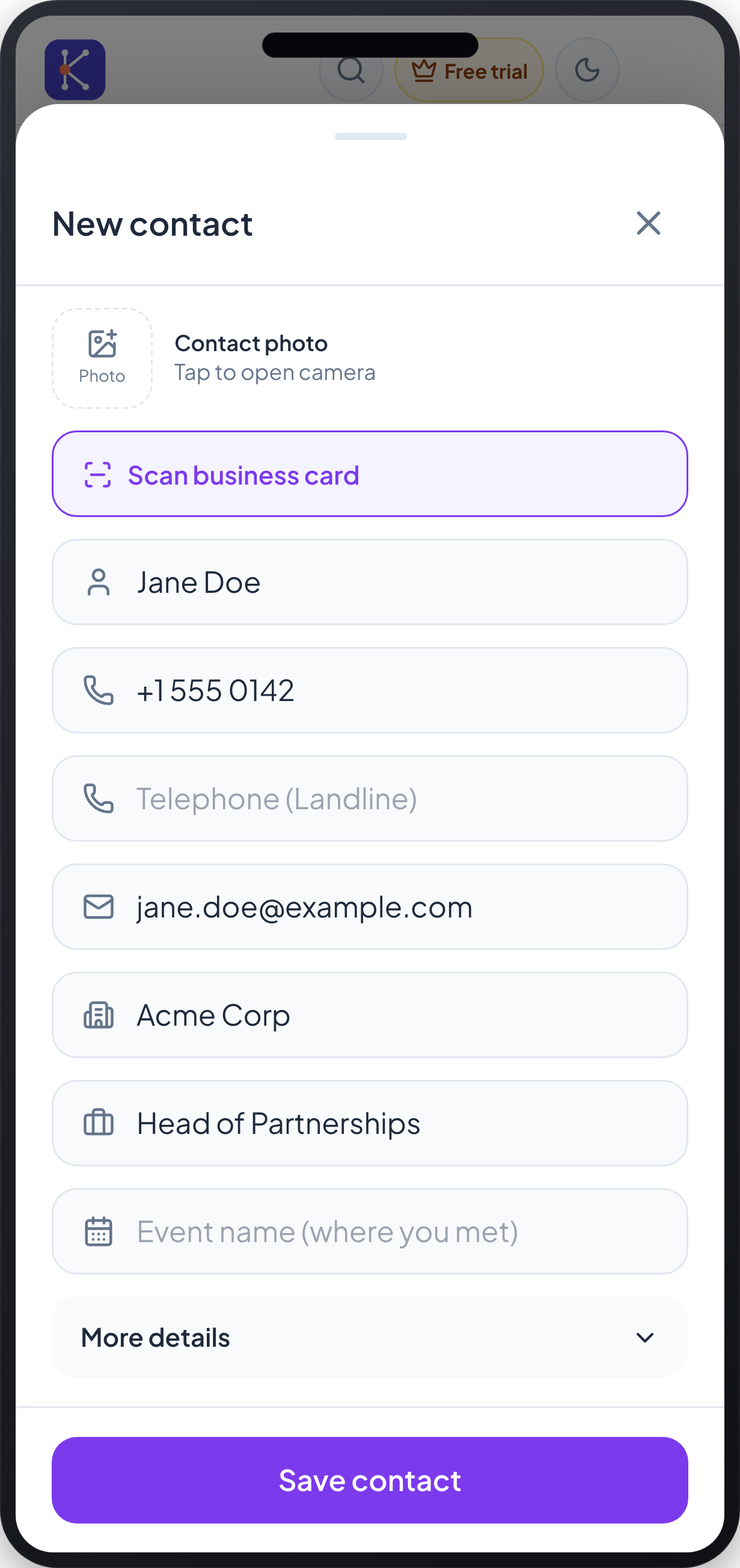
The New contact screen lets you create a contact by entering their details manually, scanning their business card, or adding a photo. You can save just the essentials or expand the form to capture more details.
How to use it
- Open the New contact form. On desktop it appears as a centered dialog; on mobile it slides up as a bottom sheet.
- To add a contact photo, tap the Photo tile labelled "Tap to open camera."
- To fill the form automatically, tap Scan business card and capture the card. The scanned details are used to populate the fields.
- Enter the contact's details in the available fields:
- Full name (the person icon field, e.g. "Jane Doe")
- Mobile number (the phone icon field)
- Telephone (Landline)
- Company name (the building icon field, e.g. "Acme Corp")
- Designation / Role (the briefcase icon field, e.g. "Head of Partnerships")
- Event name (where you met) — the calendar field
- On desktop, if you type an event name that doesn't exist yet, you can choose Create new meeting: "…" to create a matching meeting.
- To add further fields, expand the form using More details (shown on the mobile layout).
- Tap Save contact to create the contact.
- To close without saving, tap the X in the top-right corner.
FAQs
Which field is required? Full name is required to save a contact. Other fields, such as phone, email, company, and designation, are optional.
Do I have to type everything by hand? No. You can tap Scan business card to extract details from a card, or add a contact photo using the Photo tile. You can still edit any field afterward.
What does the "Event name (where you met)" field do? It records the event or meeting where you met the contact. On desktop, if no matching meeting exists, you can create a new meeting directly from this field using the Create new meeting option.
Can I add a contact while offline? Yes. If you're offline when you save, the contact is queued and will sync once you reconnect. Some actions, such as editing or favouriting, become available only after the contact has synced.